
Pkrbet APK Download for Android (Latest 2026)
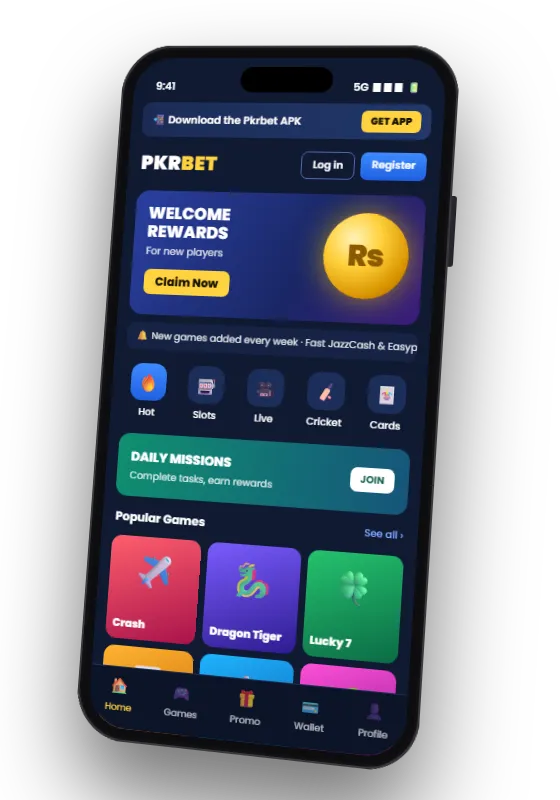
Get the latest Pkrbet app, set up your account in a few minutes and play slots, cards, lottery and cricket games with JazzCash or Easypaisa. This guide walks you through every step in plain language.

- App Name
- Pkrbet
- Version
- v2.10
- File Size
- 6.71 MB
- Requires
- Android 5.0+
- Category
- Game
- Rating
- ★ 4.8 / 5
- Price
- Free
- Updated
- Nov 2026
Pkrbet is a mobile gaming app built for players in Pakistan. It puts slots, card games, lottery draws, fishing games and cricket content inside one small Android app, and it lets you add or withdraw money through JazzCash and Easypaisa. The app is light, the menus are easy to follow, and you can be up and running in under five minutes.
We put this page together to answer the questions new players ask most. Below you will find what the app actually offers, how to install it safely, how deposits and withdrawals work, and a few honest points to think about before you play.
What Is Pkrbet?
Think of Pkrbet as a game lobby in your pocket. Instead of installing a separate app for slots, another for card games and another for lottery draws, you get all of them under one account with one wallet. Your balance moves with you from game to game, so you can switch from a quick slot round to a colour prediction game without reloading money.
The app is aimed at new players as much as regular ones. Game rules are short, the buttons are big enough for small screens, and you can pick English or Urdu. New titles are added regularly, so the lobby does not feel stale after a few weeks.
| Quick Facts | Details |
|---|---|
| Sign-up with | Phone number or email |
| Log in with | Phone number or email + password |
| Payment methods | JazzCash, Easypaisa |
| Minimum deposit | Rs 300 |
| Minimum withdrawal | Rs 500 |
| Languages | English, Urdu |
| Platform | Android APK (5.0 and above) |
Main Features of the Pkrbet App
Here is what stands out once you start using it, beyond the marketing.
Small and Fast
At under 7 MB, the APK installs quickly and runs smoothly even on budget Android phones.
Big Game Library
Slots, card games, lottery, fishing and sports games, with new titles added every month.
Local Payments
Add money and cash out through JazzCash and Easypaisa, the wallets most people already use.
Regular Rewards
First deposit bonus, daily lucky wheel, referral rewards and VIP levels for active players.
Account Security
Verification codes, encrypted connections and identity checks before withdrawals.
Support Any Time
In-app chat support plus help sections for the most common account and payment questions.
What Makes Pkrbet Different?
A lot of gaming apps look the same at first glance. A few things make Pkrbet easier to live with day to day:
- Clean visuals. Bright, sharp graphics that still look good on a 5-inch screen, with smooth animations and no flicker.
- Proper sound design. Background music, win alerts and effects that you can turn down or switch off.
- No pop-up ads. You are not interrupted by third-party adverts between rounds.
- Simple withdrawals. Once your account is verified and you meet the minimum, you can request a cash-out straight from the wallet page.
Games You Can Play on Pkrbet
The lobby is split into clear categories, so you can jump straight to the type of game you enjoy.
How to Download and Install the Pkrbet APK
Pkrbet is distributed as an APK file, so you install it directly rather than through an app store. The whole process takes about two minutes. Always use the official link below, because modified APKs from random sites can carry malware or steal login details.
Download steps
- Tap the Download Pkrbet APK button on this page.
- You will land on the official Pkrbet download page. Tap the APK button there.
- Wait a few seconds for the 6.71 MB file to finish downloading.
- Open your phone’s Downloads folder or notification bar to find the file.
Installation steps
- Go to Settings > Security and allow installs from unknown sources (Android asks for this the first time).
- Tap the downloaded Pkrbet APK file.
- Press Install and wait for it to finish.
- Open the app, then sign up or log in.
Need more detail, including fixes for “App not installed” errors? See our full Pkrbet APK download guide.
How to Register and Log In to Pkrbet
You only need a working phone number or email address to create a Pkrbet account. Use real details, because the same number or email is used later for verification and password resets.
Create an account
- Open the app or website and tap Register.
- Enter your phone number or email.
- Choose a strong password you don’t use anywhere else.
- Type in the verification code sent to you.
- Accept the rules and finish sign-up.
Log in
- Open the Pkrbet app and tap Log in.
- Enter your registered phone number or email.
- Type your password.
- Tap Log in to reach your dashboard.
- Forgot it? Use Forgot Password to get a reset code.
Tip: if the app says your number is already in use, you probably registered before. Try logging in or reset your password instead of making a second account, since duplicate accounts can be blocked.
Pkrbet Deposit and Withdrawal Guide
Money on Pkrbet moves through JazzCash and Easypaisa. Deposits usually show up within a minute or two. Withdrawals take a little longer because they go through a short review, especially the first time you cash out.
How to deposit
- Log in and tap Deposit or the wallet icon.
- Choose JazzCash or Easypaisa.
- Enter an amount (Rs 300 minimum).
- Confirm the payment in your wallet app.
- Check that your balance has updated.
How to withdraw
- Open your wallet and check your available balance.
- Tap Withdraw.
- Pick your wallet and enter the amount (Rs 500 minimum).
- Complete verification if the app asks for it.
- Submit and wait for approval.
| Method | Min Deposit | Min Withdrawal |
|---|---|---|
| JazzCash | Rs 300 | Rs 500 |
| Easypaisa | Rs 300 | Rs 500 |
Double-check the wallet number before you confirm a withdrawal. A single wrong digit is the most common reason payments get stuck. Keep the transaction ID until the money arrives, because support will ask for it if anything goes wrong.
Pkrbet Bonuses, Rewards and Referral Program
Pkrbet runs several reward types at the same time. Amounts and conditions change from campaign to campaign, so always read the terms on the promotions page before you claim anything.
First Deposit Bonus
Extra play balance on your first top-up.
Daily Lucky Wheel
A free daily spin for small cash or game credits.
Rebates & Loss Bonus
A small share of daily play or losses returned.
VIP Levels
Better perks as you climb tiers. Progress shows in your profile.
How the referral program works
- Sign up and find your personal invite link or code in your profile.
- Share it with friends over WhatsApp, SMS or social media.
- When they register with your code and start playing, you earn a share of the reward.
- Withdraw referral earnings once you reach the minimum withdrawal amount.
Smart Tips Before You Play
- Set a budget first. Decide on a daily limit before you deposit and stop when you hit it.
- Learn the rules. Use demo or low-stake rounds to understand a game before playing bigger amounts.
- Read bonus terms. Know what you have to do before a bonus can be withdrawn.
- Verify early. Finish account verification before your first withdrawal so you don’t wait later.
- Treat it as entertainment. Never play with money you need for bills, and don’t chase losses.
Pkrbet Pros and Cons
No app is perfect. Here is a balanced view.
What we like
- Wide mix of games in one small app
- JazzCash and Easypaisa supported
- Low Rs 300 minimum deposit
- Simple layout that beginners can follow
- Regular bonuses and a referral program
What to keep in mind
- Android only, there is no iOS app
- Needs a stable internet connection
- First withdrawals may take longer due to checks
- Some games take time to learn
- Real-money play carries a real risk of loss
Is Pkrbet Safe and Legit?
The app uses encrypted connections and asks for verification before withdrawals, which is a good sign. Still, we can’t vouch for any company’s finances or licensing, and Pkrbet does not publish licence details. Our advice is simple: download only from the official link, never share your password or OTP code, start with small amounts, and withdraw winnings regularly instead of leaving a large balance in the app.
Frequently Asked Questions About Pkrbet
Yes. The Pkrbet APK is free to download and install. You only need money if you choose to deposit and play real-money games.
The minimum deposit is Rs 300 through JazzCash or Easypaisa.
You can withdraw once your balance reaches Rs 500. Your account may need to be verified before the first withdrawal is approved.
Pkrbet needs Android 5.0 or newer. The APK is only 6.71 MB, so it runs well on most budget phones from the last few years.
There is no iOS app. iPhone users can try the Pkrbet mobile website in Safari instead.
Tap Forgot Password on the login screen, enter your registered phone number or email, and follow the code or link you receive to set a new password.
Processing time depends on your payment method and account status. The first withdrawal can take longer because of verification checks, and delays can also happen on the JazzCash or Easypaisa side.
No. Use one account per person. You can switch accounts on the same phone by logging out, but creating duplicate accounts can get rewards cancelled or accounts blocked.
No. This is an independent guide. We are not owned by or connected with Pkrbet. The download and register buttons take you to the official Pkrbet site.
Ready to Try Pkrbet?
Grab the latest v2.10 APK, set up your account in a few minutes and explore the games at your own pace. Play smart and keep it fun.